Signing in
Everyone gets their own account - parents, grandparents and kids. The account is how the same numbers reach every phone, and how the app knows who is allowed to change what.
Three ways in
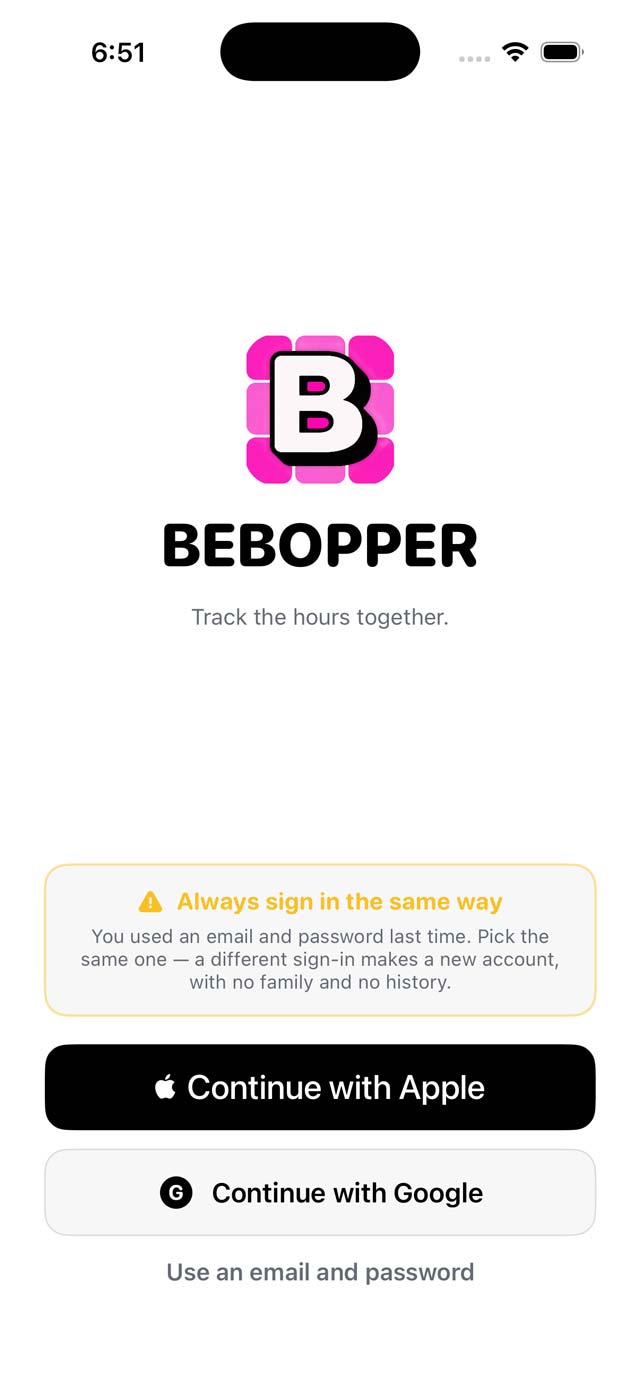
Sign in with Apple, sign in with Google, or make an account with an email address and a password. Apple's Hide My Email works; the app only ever needs an address it can reach you at.
Always sign in the same way
Pick one method and stick to it. Signing in a different way makes a brand new account - no family, no history - rather than getting you back into the one you had. The sign-in screen reminds you which you used last time.
The first person makes the family
Whoever signs in first and creates a family owns it. Everyone else joins with an invite code.
One account, many devices
The same account signed in on a phone and an iPad shows the same thing. There is nothing to sync by hand.
Your family
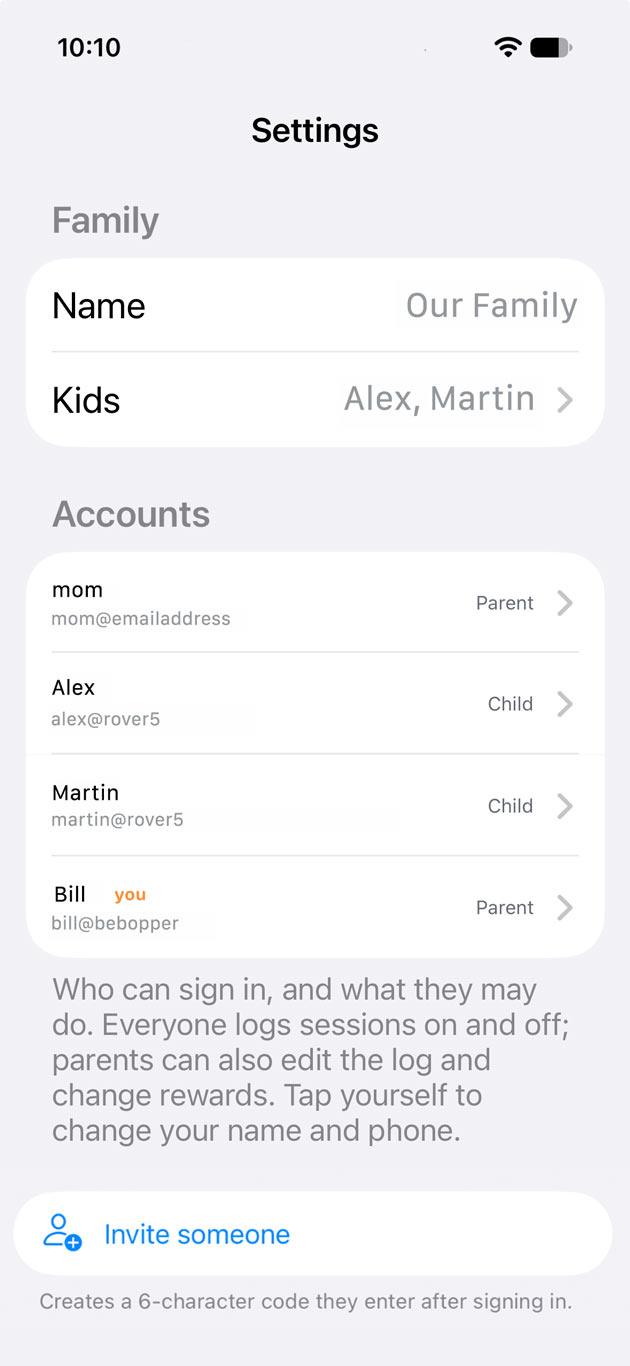
Settings › Family lists everybody who can sign in and what each of them may do. Two roles: parent and child.
Invite codes
Creating an invite makes a six-character code. The person signs in with their own account, taps “I have an invite code”, and enters it. A code works once and expires after seven days - and for security it can't be looked up again afterwards, so write it down when it appears.
Parents
Parents see every child in the family, can correct the log, and set up goals and rewards.
Children
A child sees their own activities, their own points and their own rewards - and nobody else's. They start and stop their own timers.
A kid doesn't need an account
Younger children often shouldn't have one. A kid can exist in the family with no sign-in at all, and a parent logs the time for them. Give them an invite code later and it links that same kid to the account they sign in with - the history they already have comes with them.
Inviting the other parent
When you create the invite you choose whether it is for a child or for another grown-up. A grown-up invited to one kid's record sees that kid's log and rewards, and nothing else.
Activities
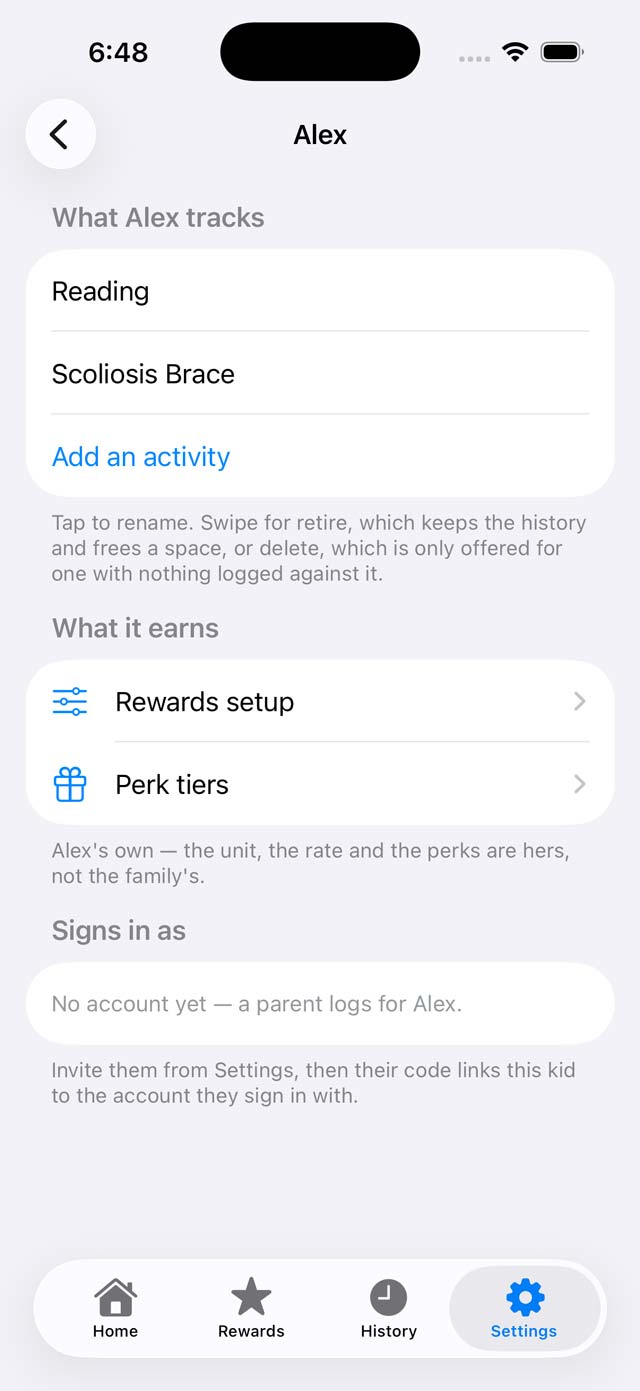
An activity is one thing that gets timed: piano, reading, physical therapy, a scoliosis back brace, a retainer. Each child has their own, with their own goal.
Anything with a duration
If it has a start and a stop, it belongs here. If it doesn't - making the bed, feeding the cat - it isn't something Bebopper tracks.
A daily target
Set the number of minutes that makes a full day. The home screen's ring fills toward it, and the goal you set later is measured against it.
More than one at a time
A kid can track up to three things at once, each as its own line with its own hours, its own points and its own streak. A family holds up to three kids.
Retiring one, not deleting it
Swipe an activity to retire it. Everything logged against it is kept, and the slot comes free for something else. Delete is only offered for an activity with nothing logged against it at all, so there is no way to throw away a record by accident.
Home
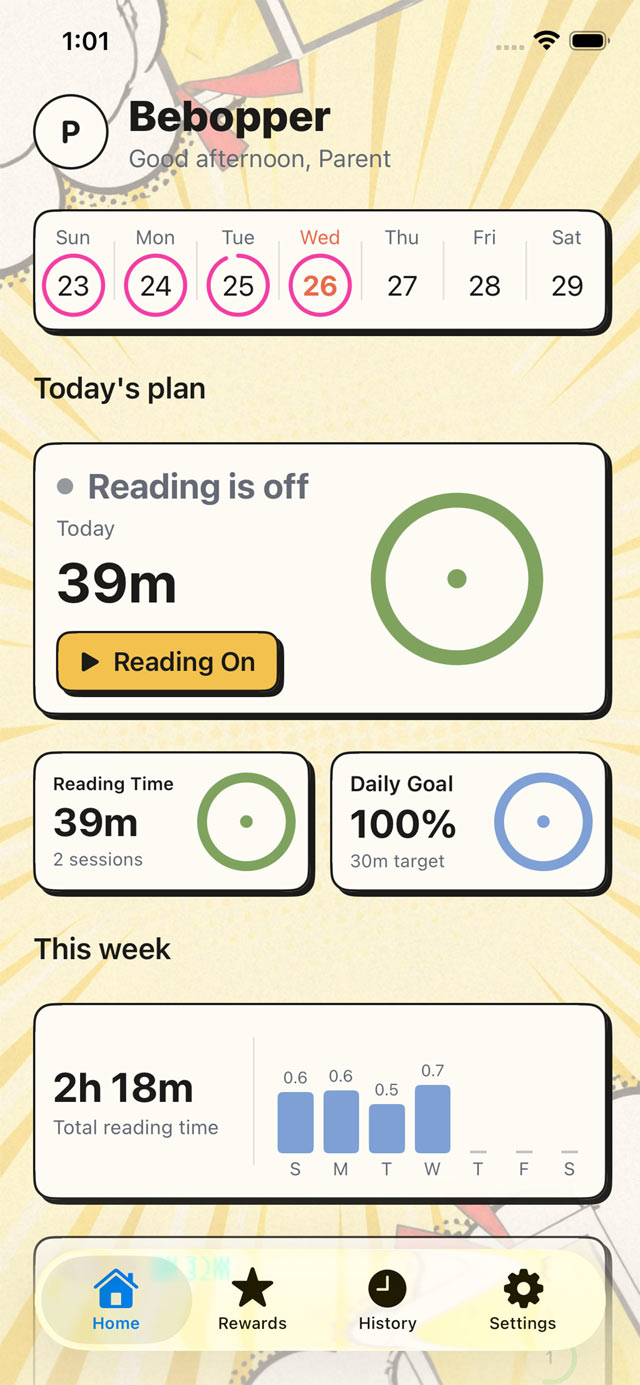
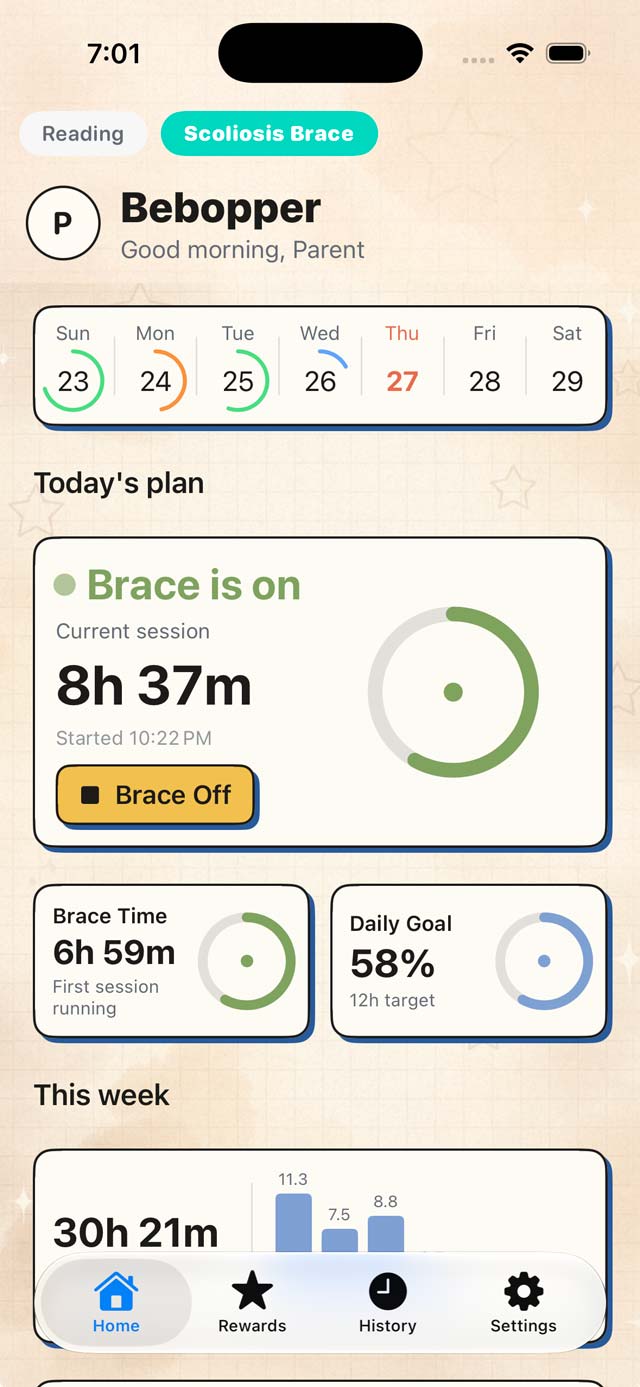
The screen the app opens on. Today's plan at the top, this week underneath, and one big button per activity.
Today's plan
One card per activity: whether it is running, how much time is on it today, and the ring against today's target.
The week strip
Seven days across the top, each with a ring showing how much of that day's target was met. Today is the one in colour.
This week
The week's total and a bar per day, so a light Tuesday is visible without opening History.
Starting and stopping
One tap to start, one tap to stop. Under three seconds, start to finish.
The clock is real time
A session is a start time and a stop time - not a countdown the app has to stay awake for. Lock the phone, close the app, or restart the device: the running session survives all three.
Everyone sees it running
Open the app on any phone in the family and a running session is already there, counting. Nothing is pushed and nothing is announced - the number is just live. That is the whole “did you do it yet?” conversation, gone.
A session that runs past midnight
It splits at midnight, and each day is credited the hours that actually fell in it. A brace put on at 10:22pm and still on at breakfast shows the full session on the running card, while today's total counts only the part since midnight - so neither day is double-counted and neither is robbed.
Switching between activities
When a kid tracks more than one thing, they sit as tabs across the top of Home. Each keeps its own running state, so reading can be stopped while the brace stays on.
Partial effort counts
Stopping after twenty minutes logs twenty minutes and earns twenty points. There is no threshold below which a session is worth nothing.
How points work
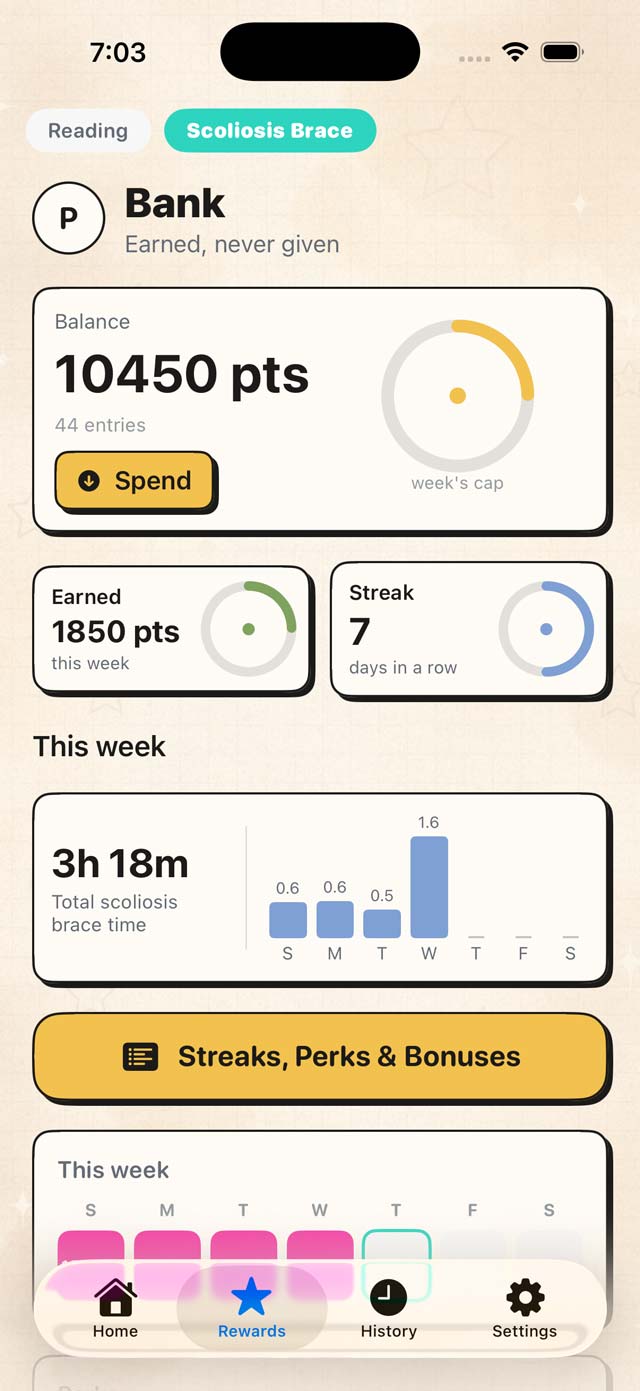
Minutes become points at a rate you set. Points are the currency everything else is priced in.
You set what a minute is worth
Earning is set per activity, in Rewards. You decide how many points a block of time earns and, if money is involved, what a point is worth in cash.
Completed blocks only
If you earn per block, only finished blocks count: twenty-five minutes of ten-minute blocks is two blocks, not two and a half.
Daily limits
You can cap how much time counts in one day, and how much can be earned from it. It keeps a marathon Saturday from cashing out a month of rewards.
Goals
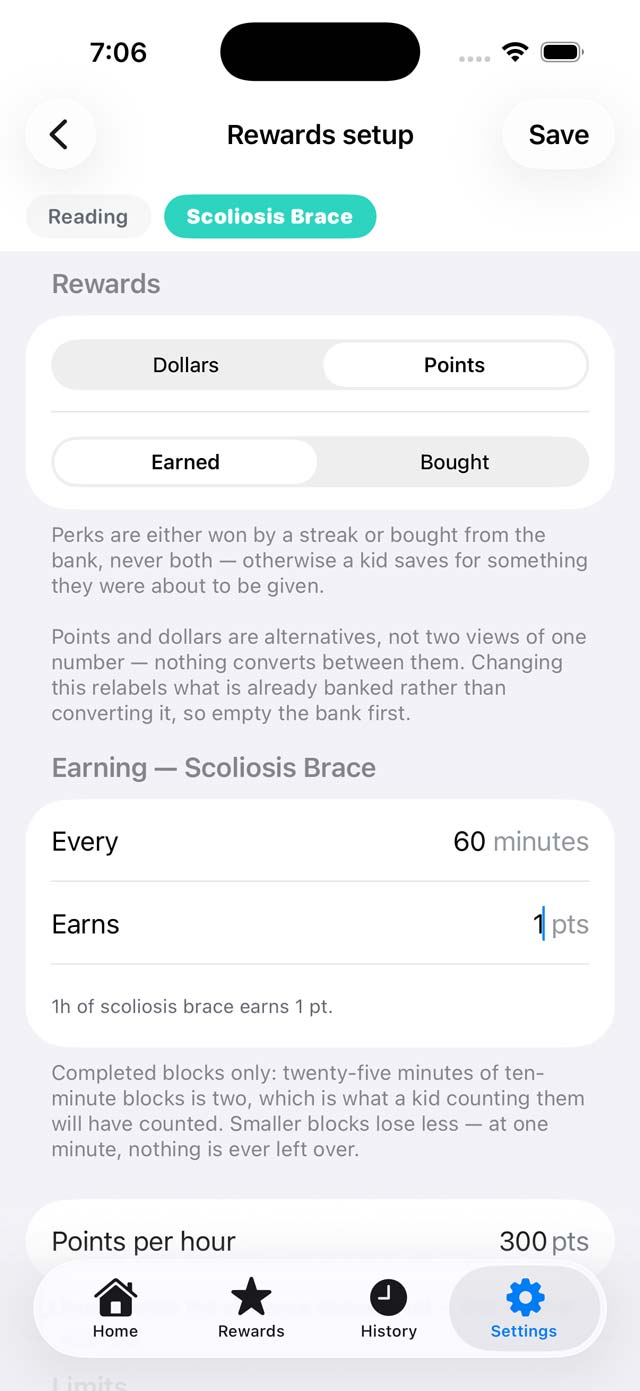
A goal is the thing being worked toward: how much, measured over what, and what it pays when it is reached. Four settings cover every shape of it, from a nightly habit to a target months out.
Days, weeks, or total time
Measure against days that clear the bar, weeks whose total clears it, or a running total with no window at all - “sixty hours of piano, however long it takes”.
Consecutive or any
“Sixty days” means two different things, and the difference is not small: consecutive restarts two months of work on one missed night, any does not. Pick deliberately.
What a good day is
A day counts when it clears the bar you set for it. Deliberately low is usually right - the point is to reward doing it at all, most days.
Only the highest one pays
Where several targets are reached at once, the highest reached pays. A target with a zero bonus is allowed and useful: something worth reaching that doesn't cost anything.
The bank
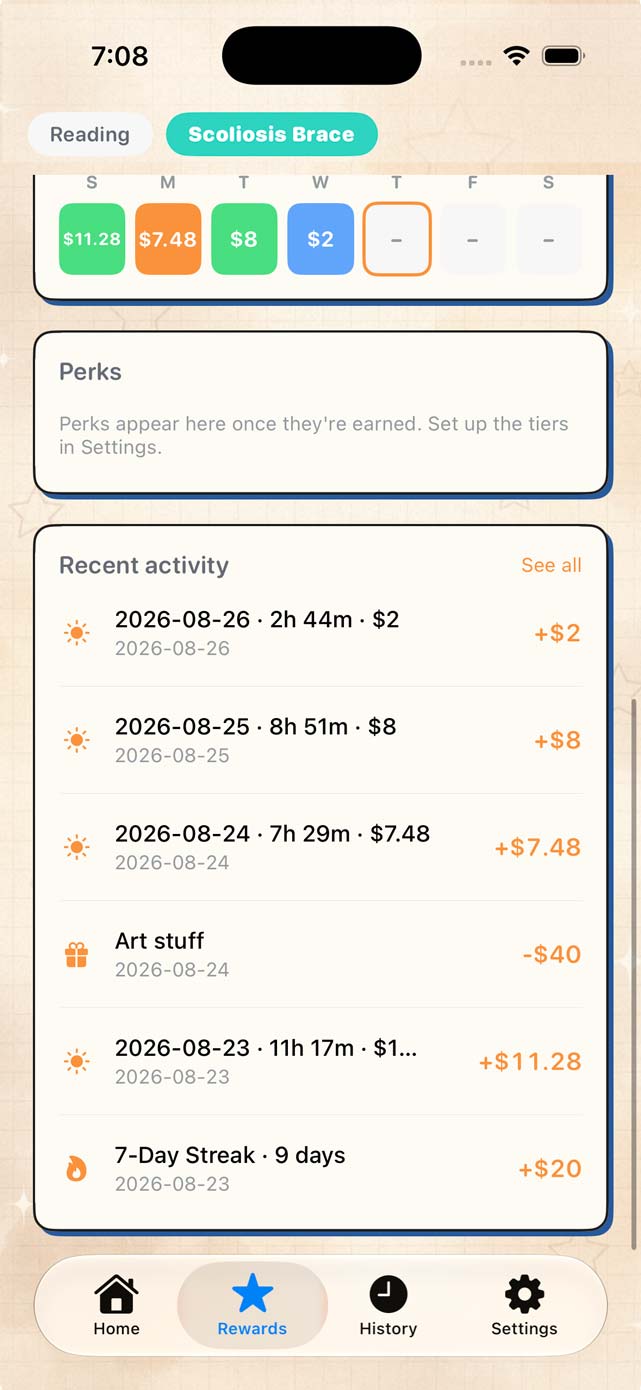
Points that have been earned and not yet spent sit in the bank, with a line for every movement in and out.
Won or bought, never both
A perk is either won by reaching a goal or bought from the bank. The same perk cannot be both, which keeps the ledger honest.
Every line stays
Earnings, purchases, payouts and corrections are all entries. Nothing is silently rewritten.
Withdrawals
A kid can ask to cash out. The request goes to a parent, who approves or declines it, and the ledger records which.
History
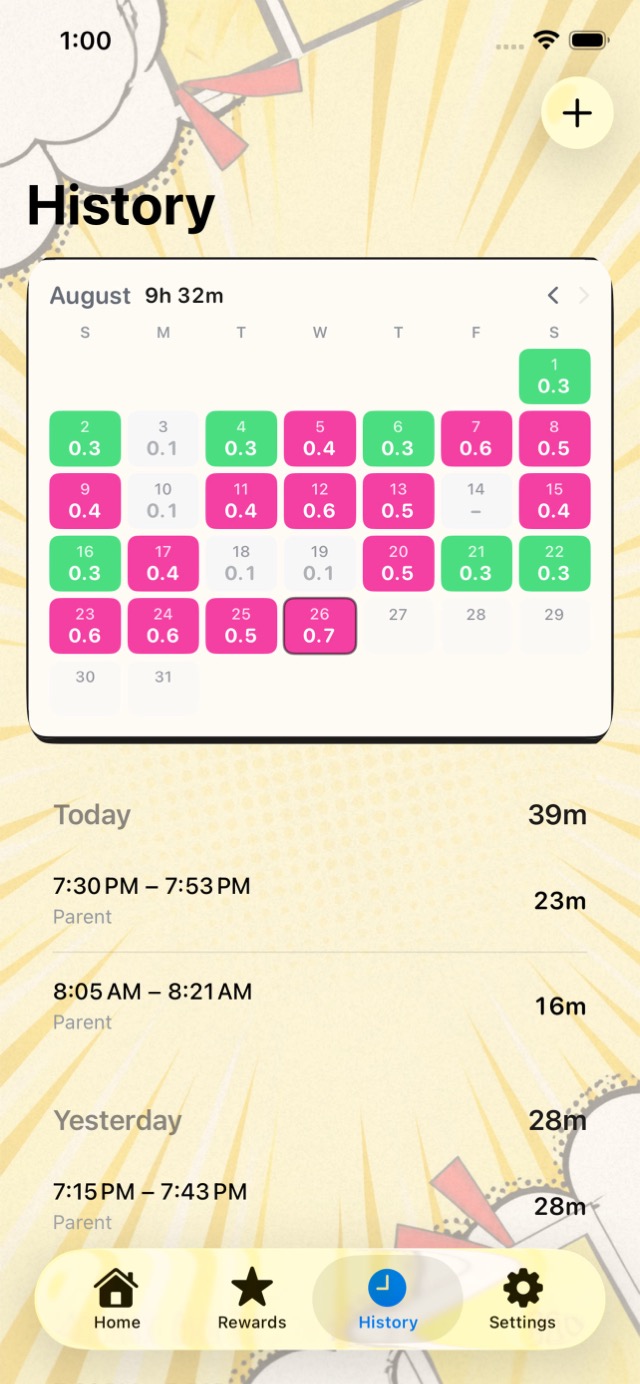
Every day that was logged, and every session inside it. This is the record the whole app exists to keep.
The calendar
A month at a time, each day marked by how much of its target was met. Tap a day to see the sessions behind the number.
Sessions
Each session shows when it started, when it stopped, and how long it ran.
Fixing mistakes
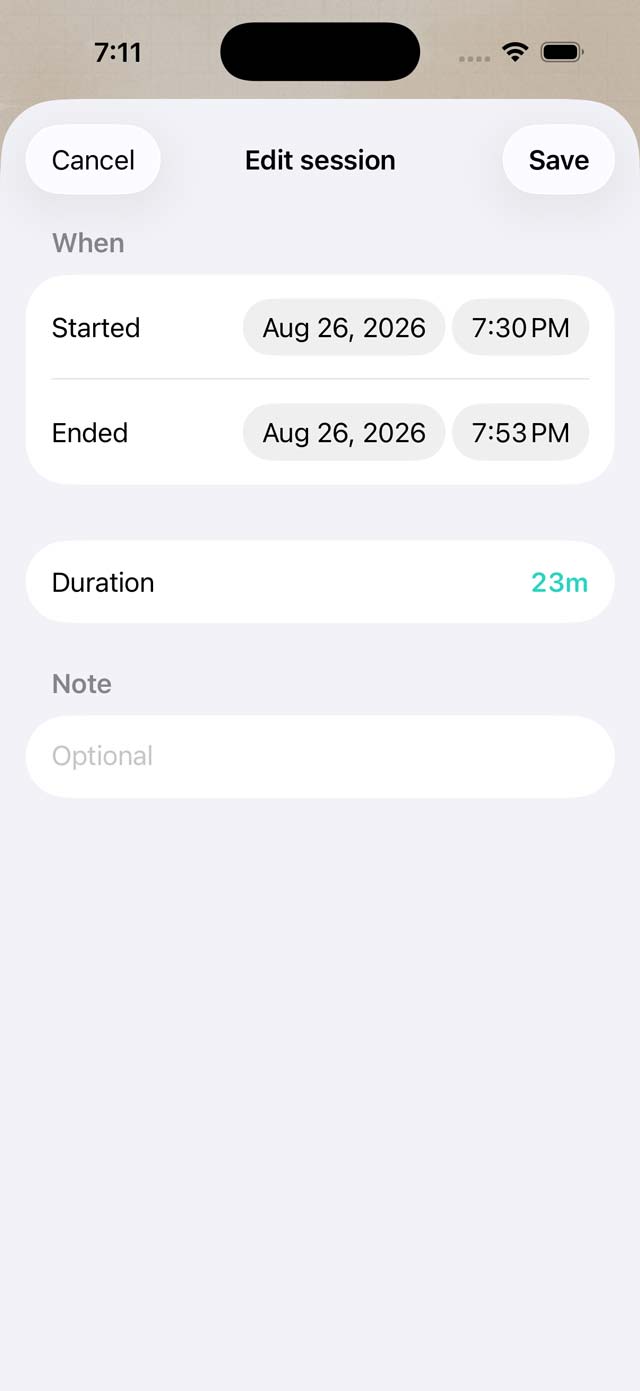
Kids forget to tap Stop. Phones die mid-session. A parent can fix any of it without the record losing what actually happened.
Parents edit, kids don't
Correcting a session is a parent's job. A child can log time but cannot rewrite it.
Nothing is destroyed
A correction is recorded alongside what was originally logged, not on top of it. The history shows both.
Points follow the correction
Fixing a session's times re-runs what it earned, so the bank matches the log.
Appearance
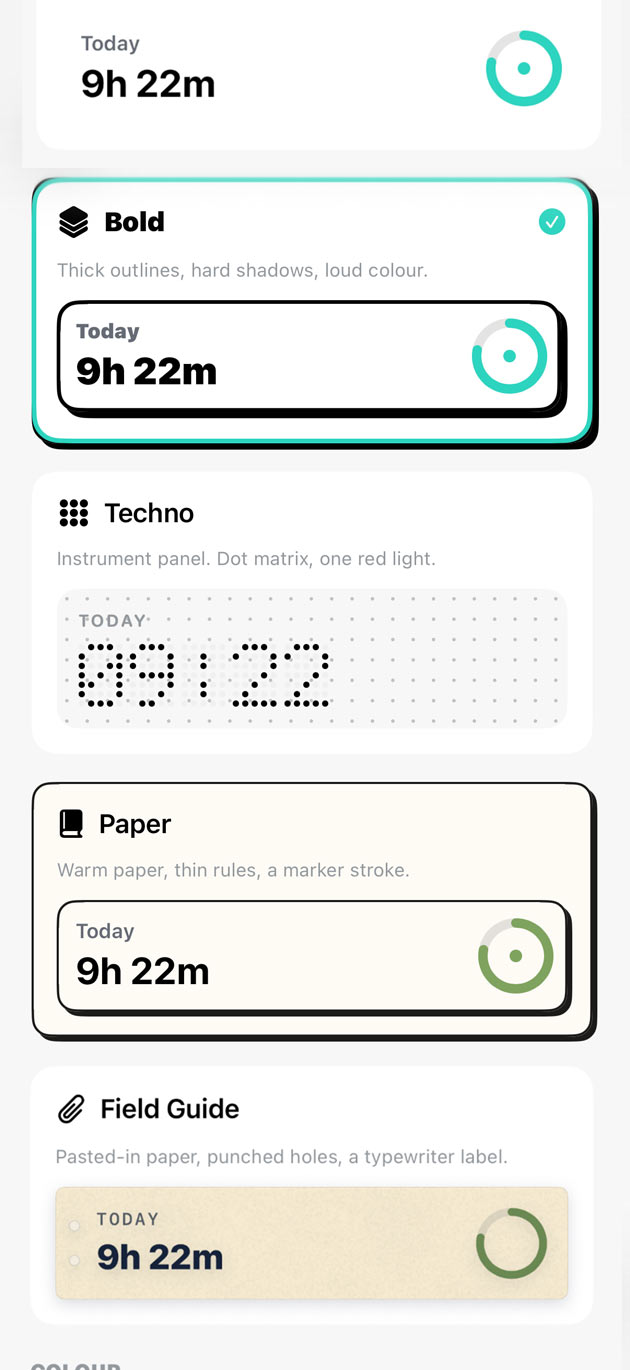
Five looks and eight accent colours. Yours are yours: the choice lives on your own account, so a kid can have the loud one without imposing it on anybody else.
The looks
Classic - soft cards, quiet colour. Bold - thick outlines, hard shadows, loud colour. Techno - an instrument panel, dot matrix, one red light. Paper - warm paper, thin rules, a marker stroke. Field Guide - pasted-in paper, punched holes, a typewriter label.
Accents
Teal, Mint, Sky, Violet, Bubblegum, Rose, Tangerine, Grape. The accent colours the buttons you press and the bars you fill; the look decides how everything is drawn.
Backdrops
The Bold style takes a wallpaper, and you can dial down how strongly it prints. Choosing None is how you turn it off.
Notifications
Bebopper tells you when something has happened, not when something has not. There is no reminder to practise and no nag about a missed day.
What gets a notification
A kid asking to cash out, which a parent can approve or decline from the notification itself. And a reward unlocking, which everyone in the family hears about.
Starting and stopping does not
No notification fires when a timer starts or stops. The running session simply appears on every phone that has the app open - the number is live, so nobody needs telling.
The Monday recap, by email
One email a week, Monday morning, to every grown-up in the family: the hours each kid logged, their streak, and what they earned. One email for the family rather than one per kid, so a busy week is still a single message.
Rewards come by email too
When a reward unlocks it is emailed as well as pushed. Push gets silenced, missed, or never switched on in the first place, and a reward nobody hears about is not much of a reward.
Turning them off
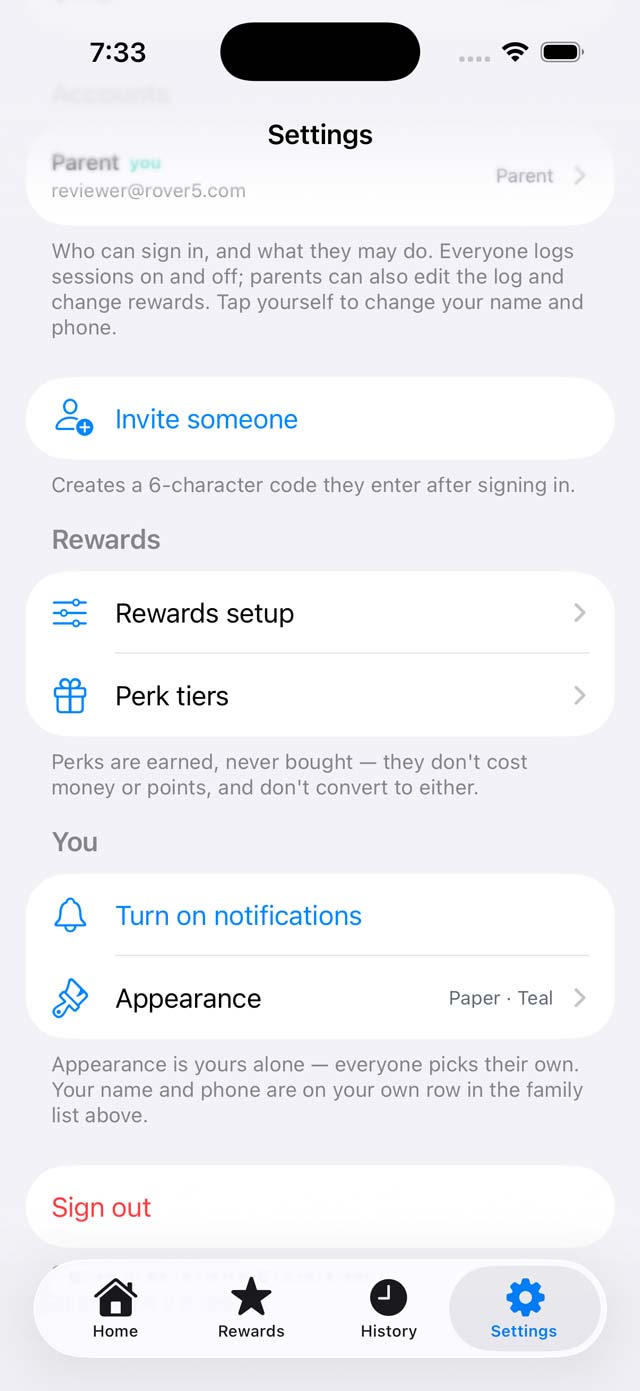
Switch notifications off in Settings, or in iOS Settings, and the device token that let the app reach your phone is removed with them. The emails are separate: they go to the address on your account.
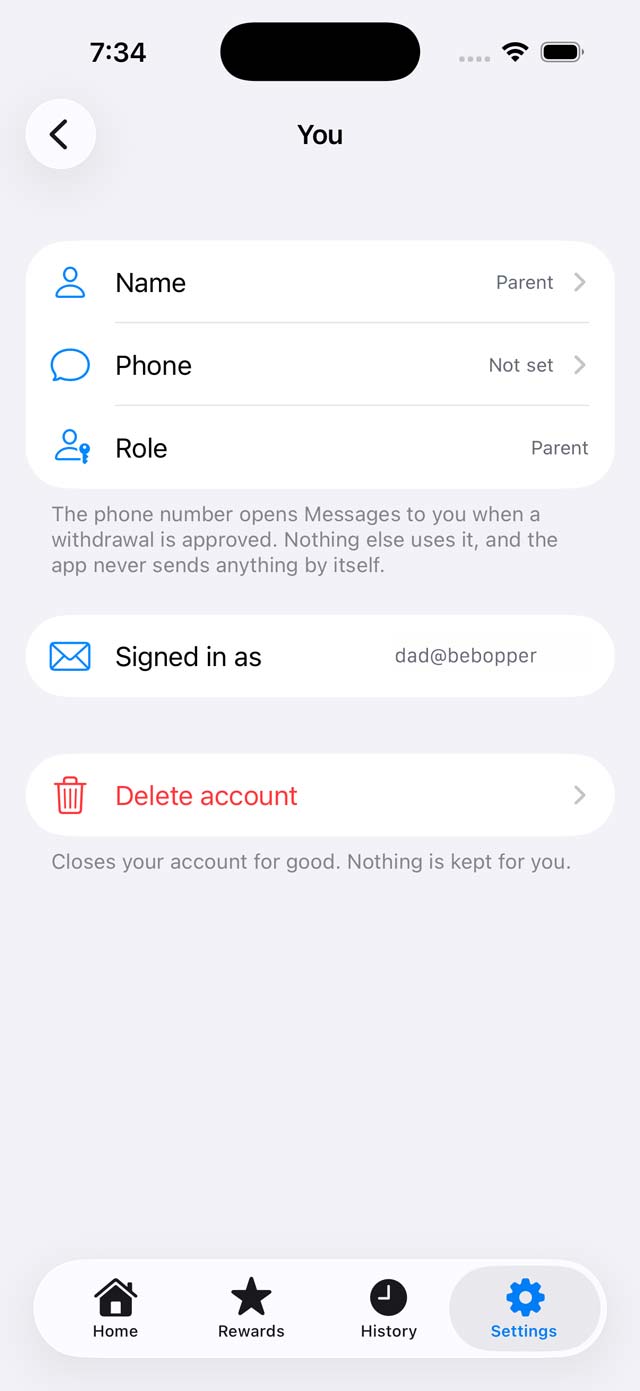
Your account
Your name, how you sign in, and the way out.
Your row
Your name and phone number live on your own row in the family list. Appearance is separate - it is yours alone.
Signing out
Signing out leaves the family untouched. You will need the same sign-in method to get back in.
Deleting the account
Settings › Delete Account removes your account, and the family's data if you are the one who owns it.